
Permit
A raffle above board, before the very first ticket
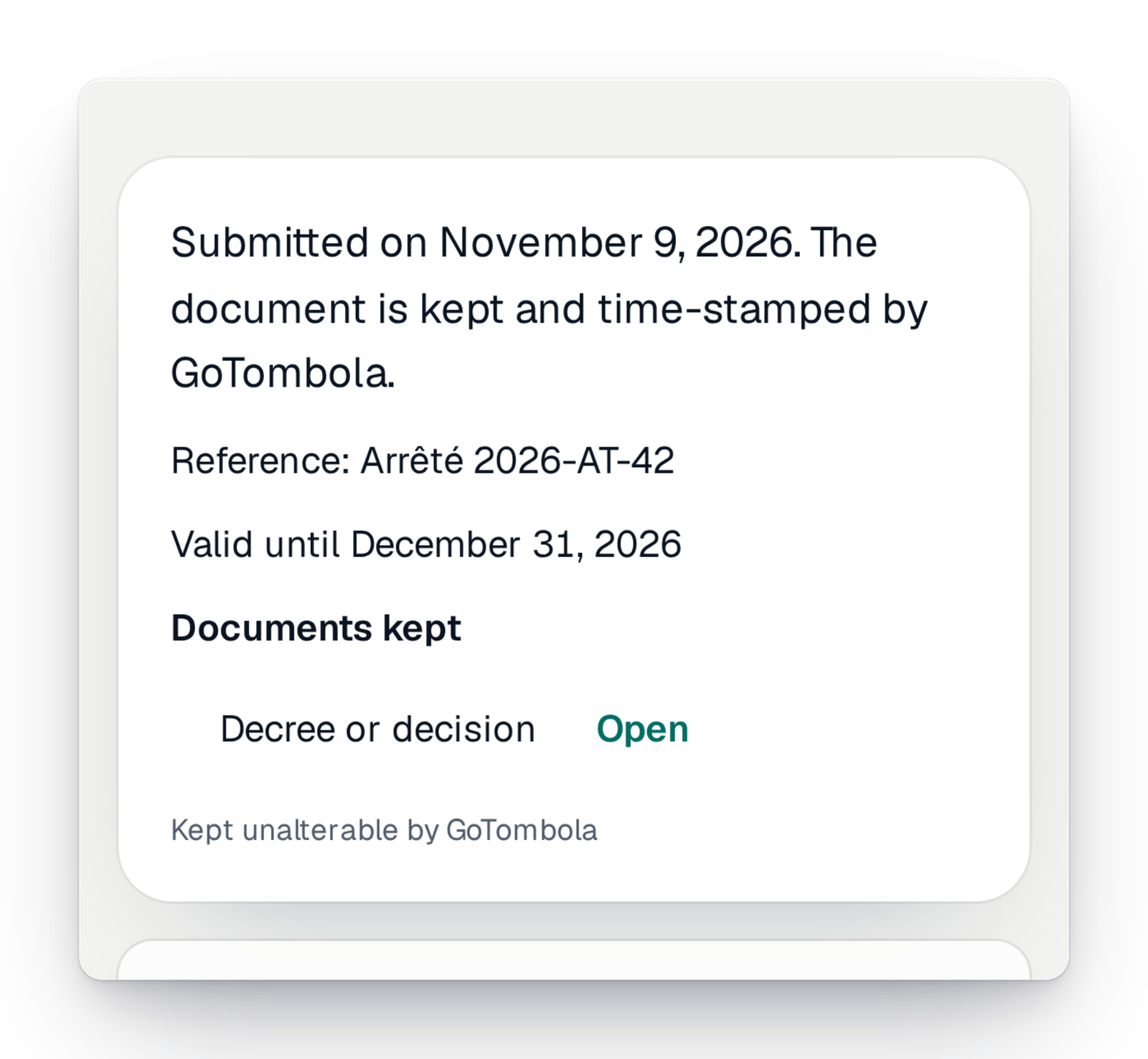
Before the sales of a paid raffle open, you upload the document signed by the authority. It is kept where nobody can change it, dated, then checked by our team. You no longer have to wonder whether you are in order.
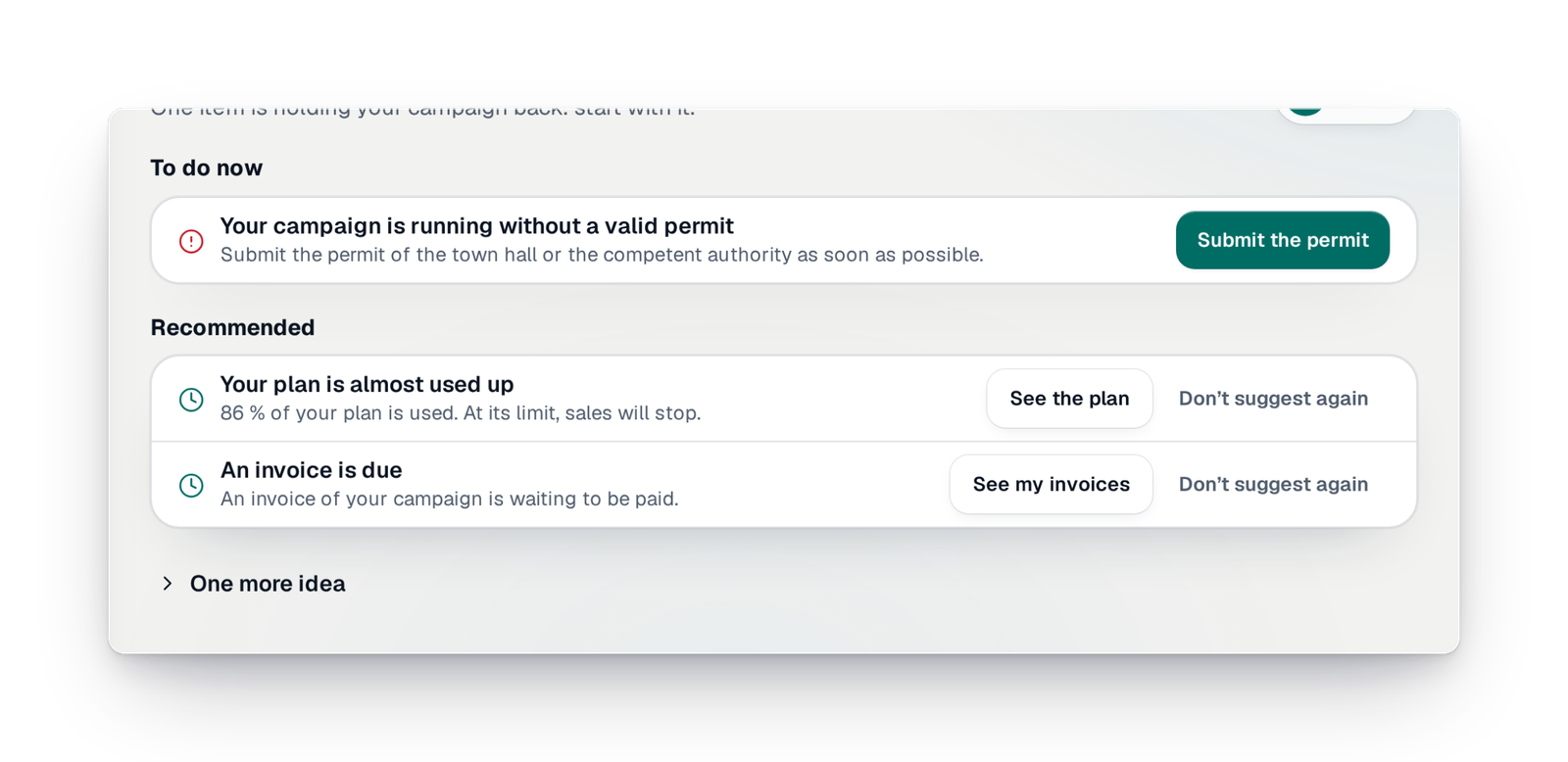
- It tells you what to doThe next step shows on your campaign's home, with a button to get there.
- It checks before launchPayment method, prizes, closing date and permit are checked before sales open.
- It keeps your documentsThe permit you upload is kept and dated, and nobody can change it.
“Are we really allowed to?”
It is often the first question of a committee getting started: do we need to ask the town hall for something, what, and when? Many organisers discover the rule at the last minute, or afterwards, when a parent, a partner or the town hall itself asks.
With GoTombola, the question is settled before the launch. The console asks about your situation, then for the document that goes with it. As long as it is missing, a paid campaign does not open: you cannot launch without knowing. And once the document is uploaded, you can find it and show it at any time.
Three steps, once per campaign
Everything is in “Settings › Raffle permit”, and your campaign's home takes you there.
Step 1
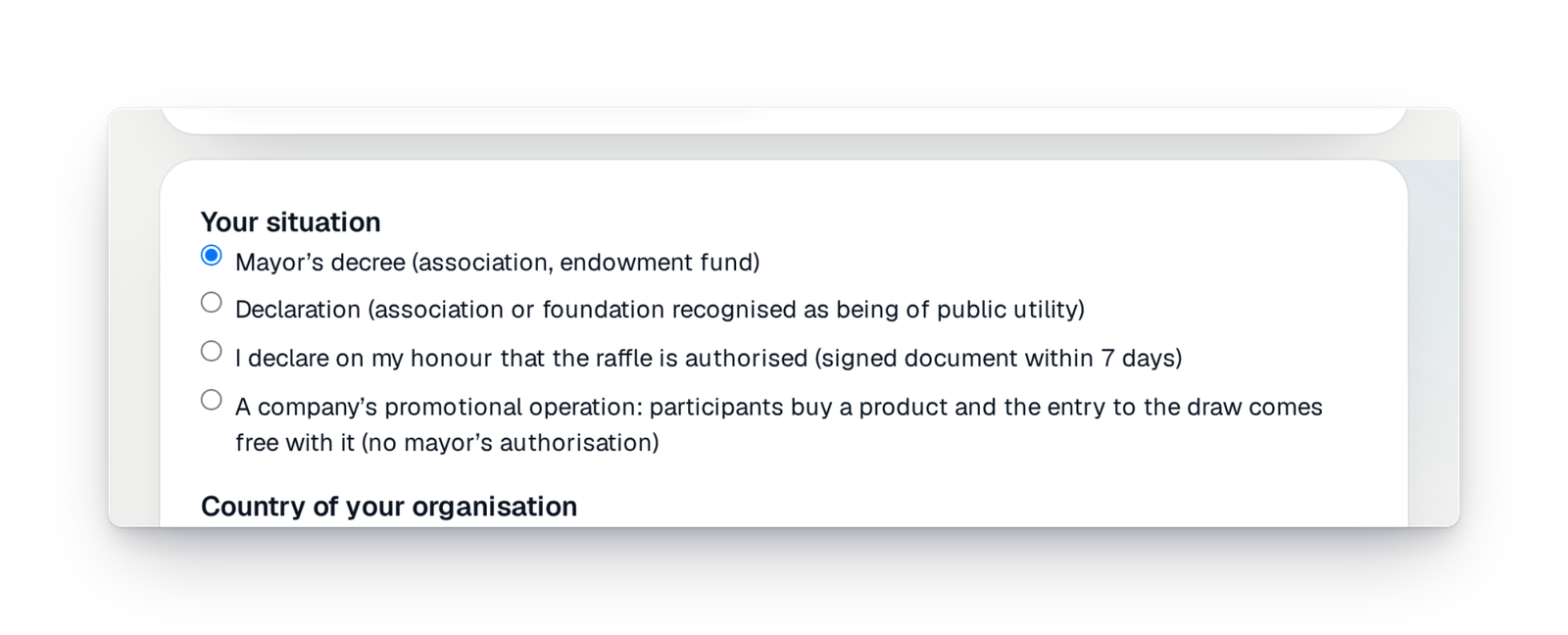
Tell us your situation
You choose what fits you: a mayor's order for an association, a declaration for an association or foundation of recognised public interest, or a company's promotional operation. The console then tells you which document to upload.
Step 2
Upload the signed document
Take a photo of it with your phone or send the file from your computer. You enter the reference and the dates it is valid. The document is kept in certified storage: dated and impossible to change or delete, by you as by us.
Step 3
Our team checks, you launch
A person from GoTombola compares the document with your campaign: the name, the draw date, the period it is valid. You get an e-mail when it is checked, or what needs correcting, in plain words. “To do” reminds you of what is missing until it is settled.
What your participants see
Once your permit is checked, your campaign page and every ticket show it.
- The words “Permit verified” under the rules on your page.
- The authority that issued it, the order's reference and its end date.
- Nothing more: neither your document nor anyone's name.
Good to know
- A free campaign is never blocked: only a paid raffle needs a document before launch.
- For France, the console knows the most common cases. In other countries, you upload your authority's document, or a sworn statement to complete afterwards.
- The original document is never published. Only your campaign's organisers and our team can open it.
- If the permit ends before the draw date, you are warned.
- Don't have the document yet? Soon, you will be able to hand the application to us: we prepare it and send it in your name.
Your questions
Because a paid raffle usually has to be authorised, and you are responsible for it. Asking for the document before the launch saves you from finding out too late, and protects your association as well as your participants.
It keeps selling. A banner on the campaign's home invites you to upload your permit, and you can do it at any time from “Settings › Raffle permit”.
You get an e-mail that explains why, in plain words: unreadable document, draw date not covered, name different from your association… You upload a corrected document, which goes back for checking.
Your campaign's organisers and our team, and nobody else. Your participants only see the words “Permit verified”, with the authority, the reference and the end date.
It is kept in certified storage, where it cannot be changed or deleted, so that you can prove later that it existed before your draw.
Launch with peace of mind
Create your campaign today; the console will tell you which document to upload, and when.