
Payments
Your participants pay the way people pay where you are
Under “Payments”, you see the payment methods your participants can use, your organisation's accounts and their state. You switch on the account of your choice for the campaign, and the money comes straight to you.
- Your money, your accountPayments go to your organisation's payment account, not to ours.
- Your country's ways to payCard and local payment methods, depending on the account you connect.
- Nothing hiddenEach account shows its state, and a campaign with no payment method is flagged.
“A parent can't manage to pay”
A lost sale is often a question of payment method. A grandparent who only has a card, a Swiss family who pays for everything with their phone, an association no longer sure its account is still connected. And when something blocks, you don't know where to start.
Here, everything starts from what your participants want to use. The console shows you the payment methods accepted for your campaign, your country's first, then the accounts that make them possible. If a paid campaign has no active payment method, you are warned before your participants find out.
From question to payment, in four screens
Everything is in your campaign's “Payments” menu.
Step 1
Open “Payments”
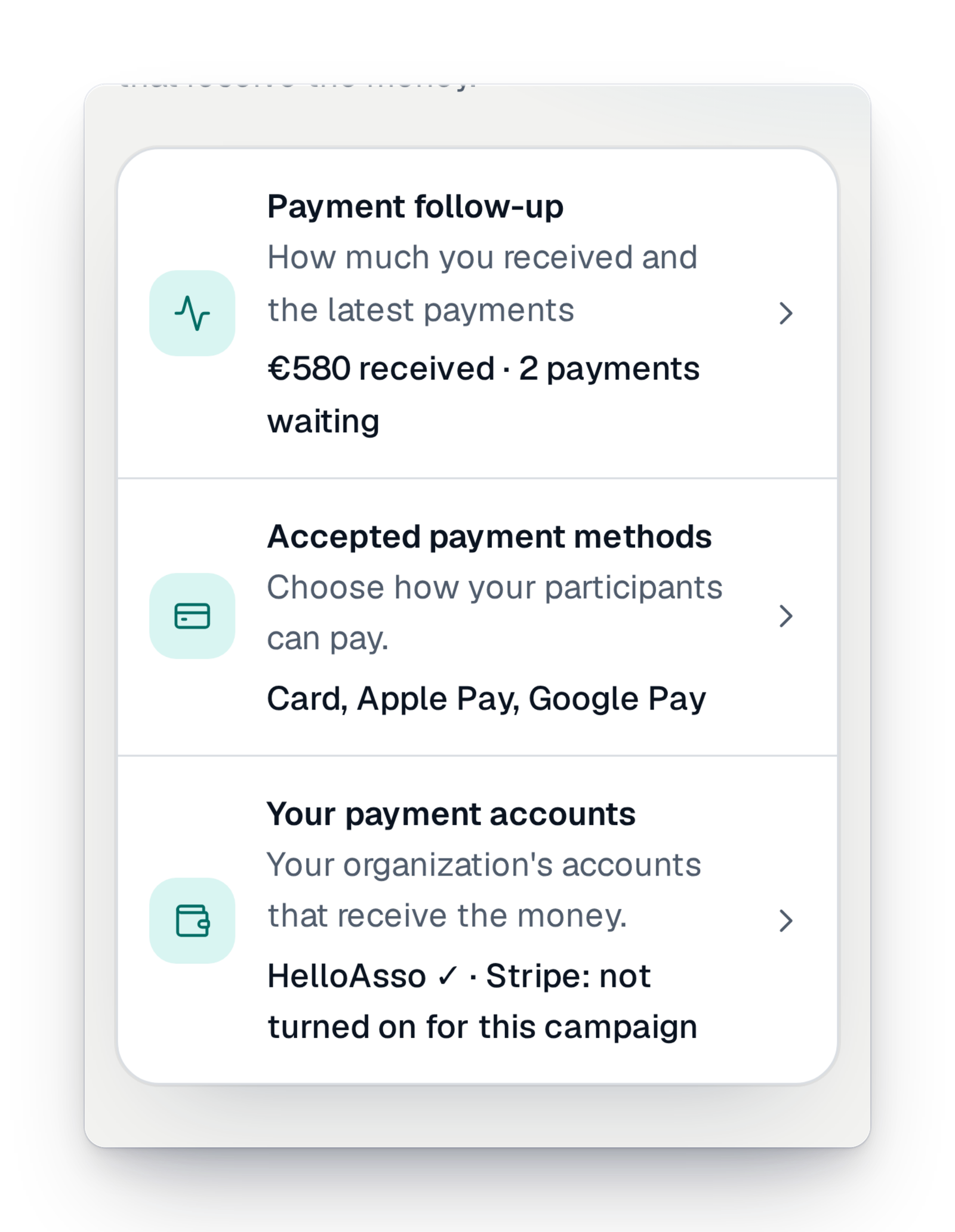
The menu brings together the tracking of what you received, the accepted payment methods and your organisation's accounts. Each line already says the essentials: how much you received, which methods are active, which account is left to switch on.
Step 2
See what your participants can use
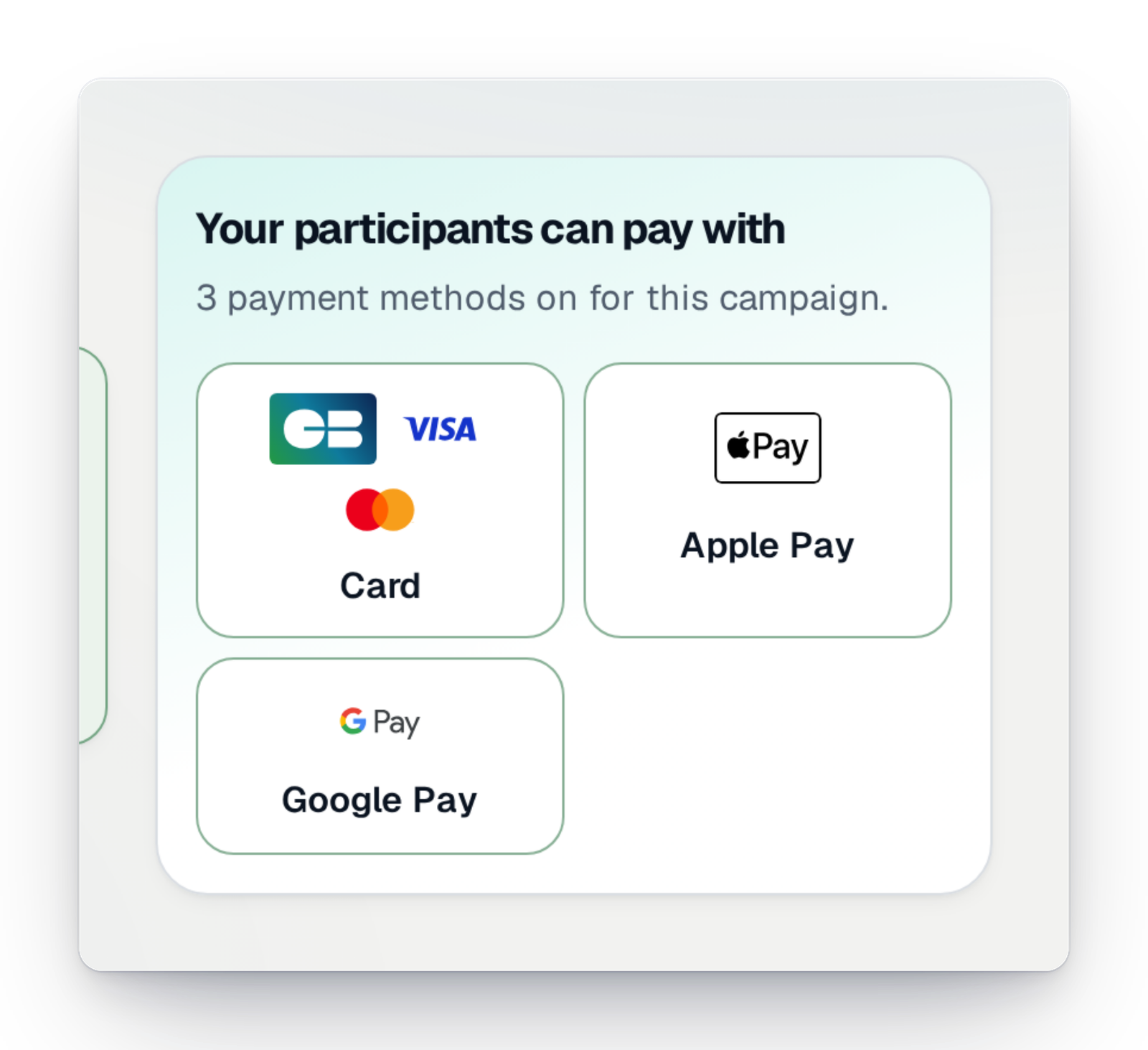
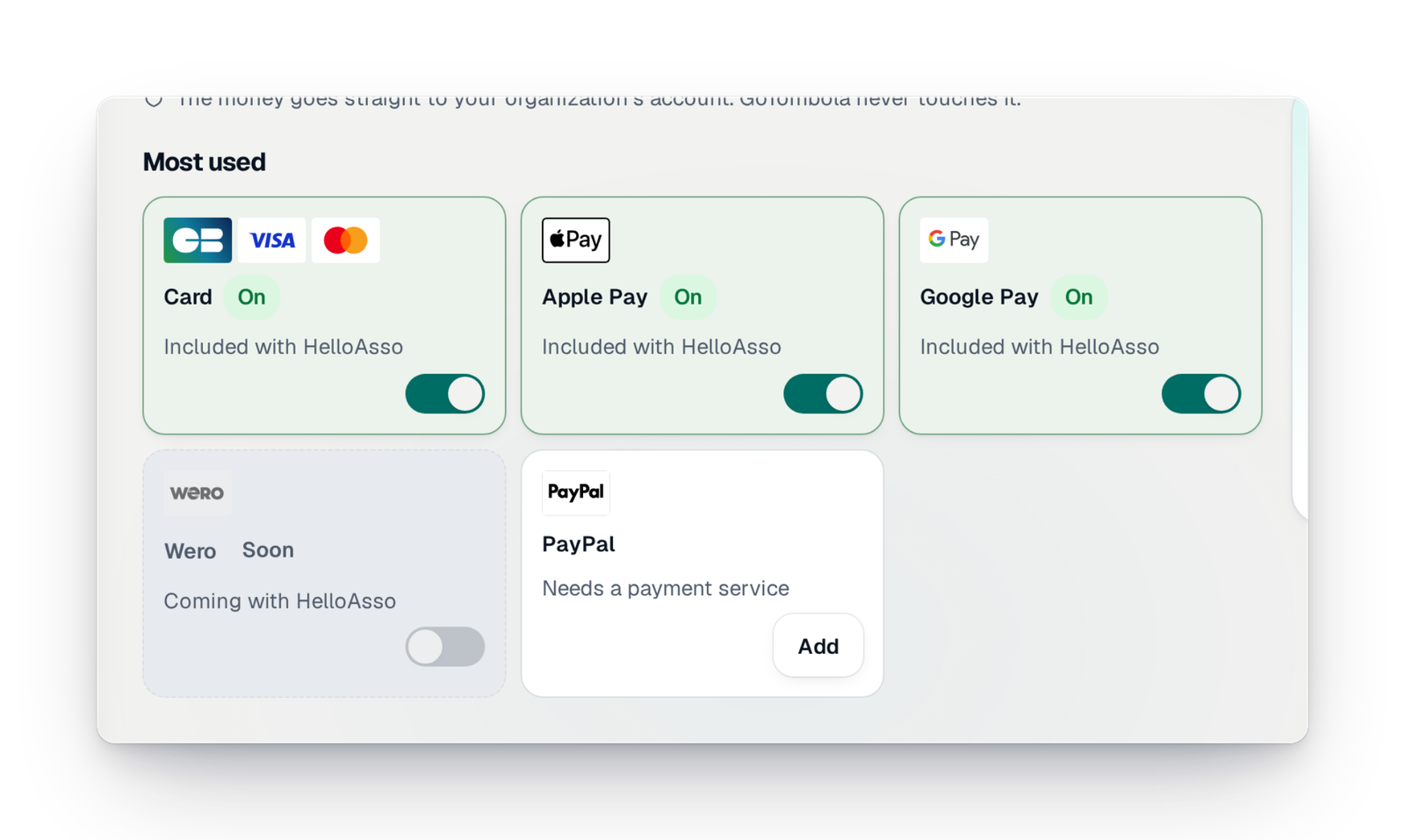
Card, Apple Pay, Google Pay: the most used methods come first, with their state. You also see those coming soon, and those that need an account to add, like PayPal.
Step 3
Add your country's methods
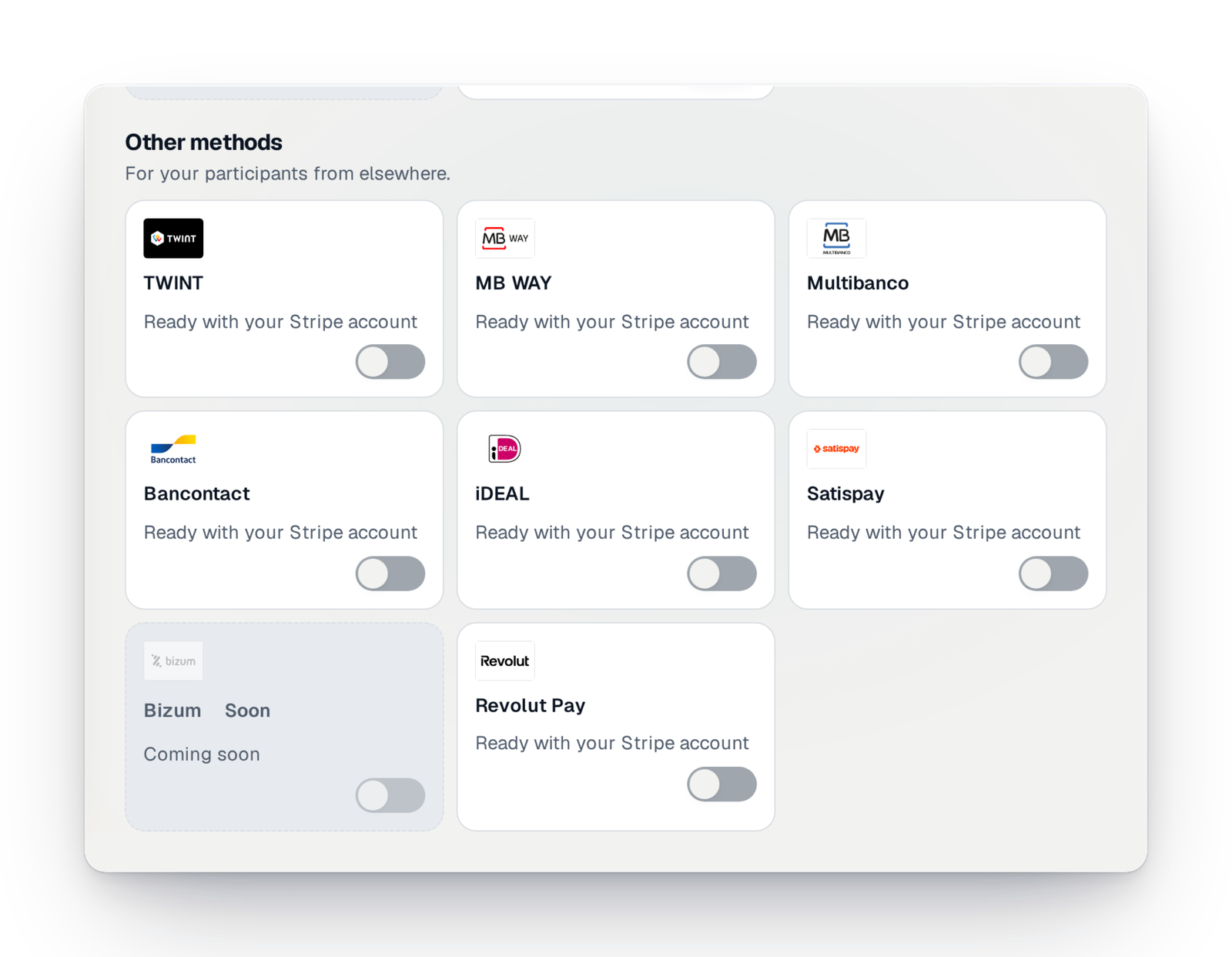
The other methods are sorted for participants from elsewhere: TWINT, MB WAY, Bancontact, iDEAL, Satispay… They are ready as soon as your organisation's account offers them; a switch turns them on for your campaign.
Step 4
Check your payment accounts
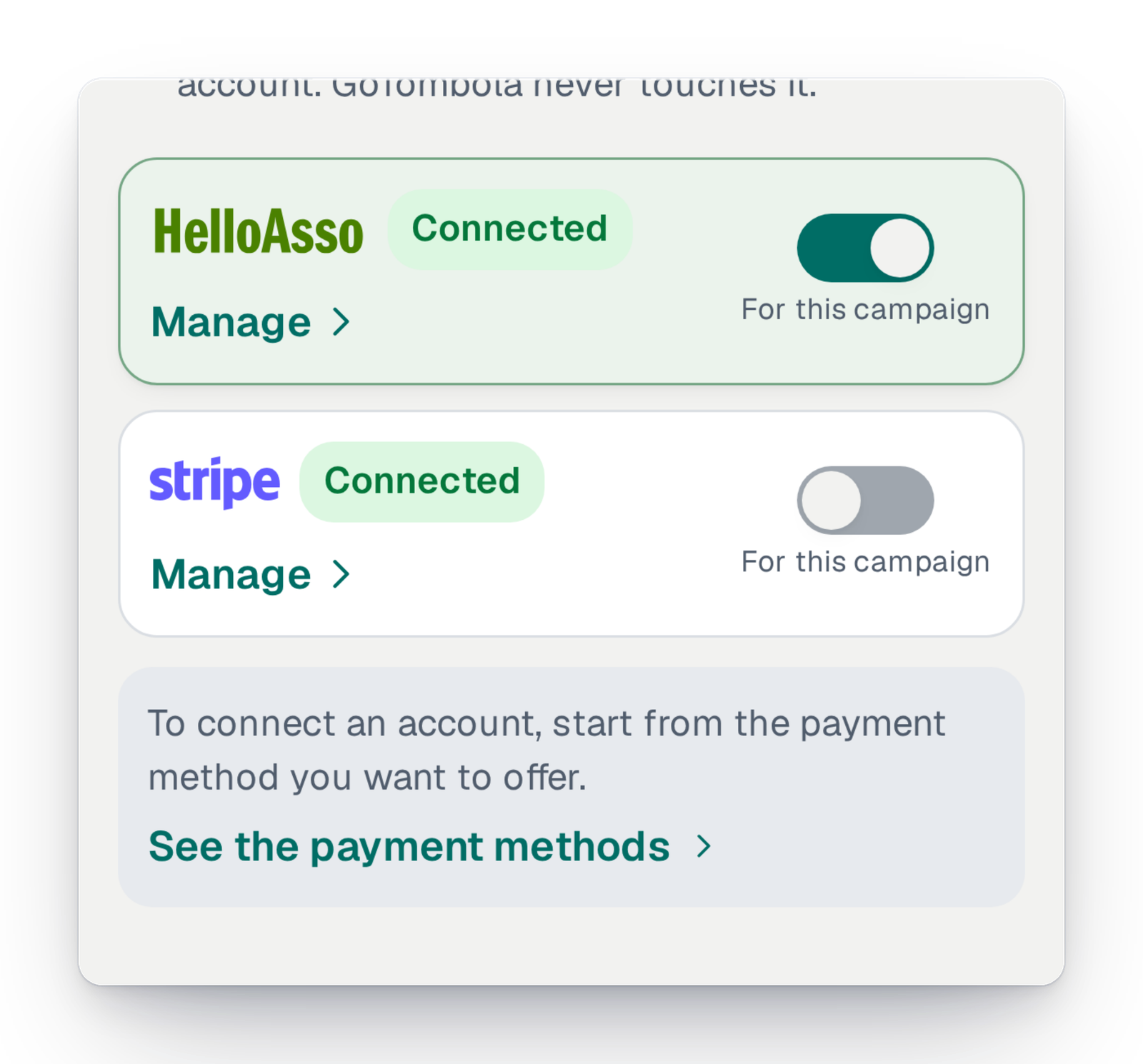
Each of your organisation's accounts shows its state: connected, verification to finish, to reconnect. You choose the ones used for this campaign. To connect a new one, you start from the payment method you want to offer.
What protects you
A few simple rules, applied to every campaign.
- The money goes to your organisation's account; GoTombola never touches it.
- A paid campaign with no active payment method is flagged by an alert and a banner.
- An account to reconnect or to finish verifying is flagged to you, with the step to take.
Good to know
- Available for every campaign, in every country.
- The payment methods offered depend on the account you connect and its country: the console tells you for each one.
- Switching an account off for one campaign does not disconnect it from your organisation's other campaigns.
- Payments on the spot, in cash or by cheque, go through pre-orders: you mark them paid in the console.
Your questions
For a paid campaign, yes: at least one payment method must be active. Otherwise, the console tells you with an alert and a banner on the campaign's home, before sales open.
Start from the payment method you want to offer your participants. The console tells you which account allows it in your country, and guides you to connect it.
Yes. Your organisation can have several payment accounts, and you choose, campaign by campaign, which ones are active.
It reaches your organisation's payment account at the time of payment, then your bank account at your payment service's usual pace. GoTombola is never in between.
Get paid with no go-between
Create your campaign, connect your organisation's account and choose your participants' payment methods.