
Schools and associations
Your paper ticket books, followed class by class
Create your ticket books, print each one's QR code and follow, class by class, the books handed out, sold and paid. Tickets from the books play in the same draw as online sales.
- One single drawOnline tickets and paper ticket books play together, with nothing typed twice.
- Every seller countsSales are credited to the pupil, player or volunteer who made them.
- You see everythingBooks handed out, sold, paid: the state of every book, class by class.
The books go out, the money comes back in order
In a school, the raffle means ticket books handed to the children, taken home, sold to family and neighbours, then returned with an envelope. At the parents' association, people count the stubs, chase the books that never come back, and never really know which class sold the most.
With connected ticket books, each book has its number and its QR code. You see at a glance which ones are still to hand out, which ones are to be paid and which ones are paid, class by class. And the paper tickets go into the same draw as those sold online, with nothing to type again on draw day.
Four steps, from the box of books to the draw
Everything happens in the "Books" part of your management interface.
Step 1
Create your books and their QR codes
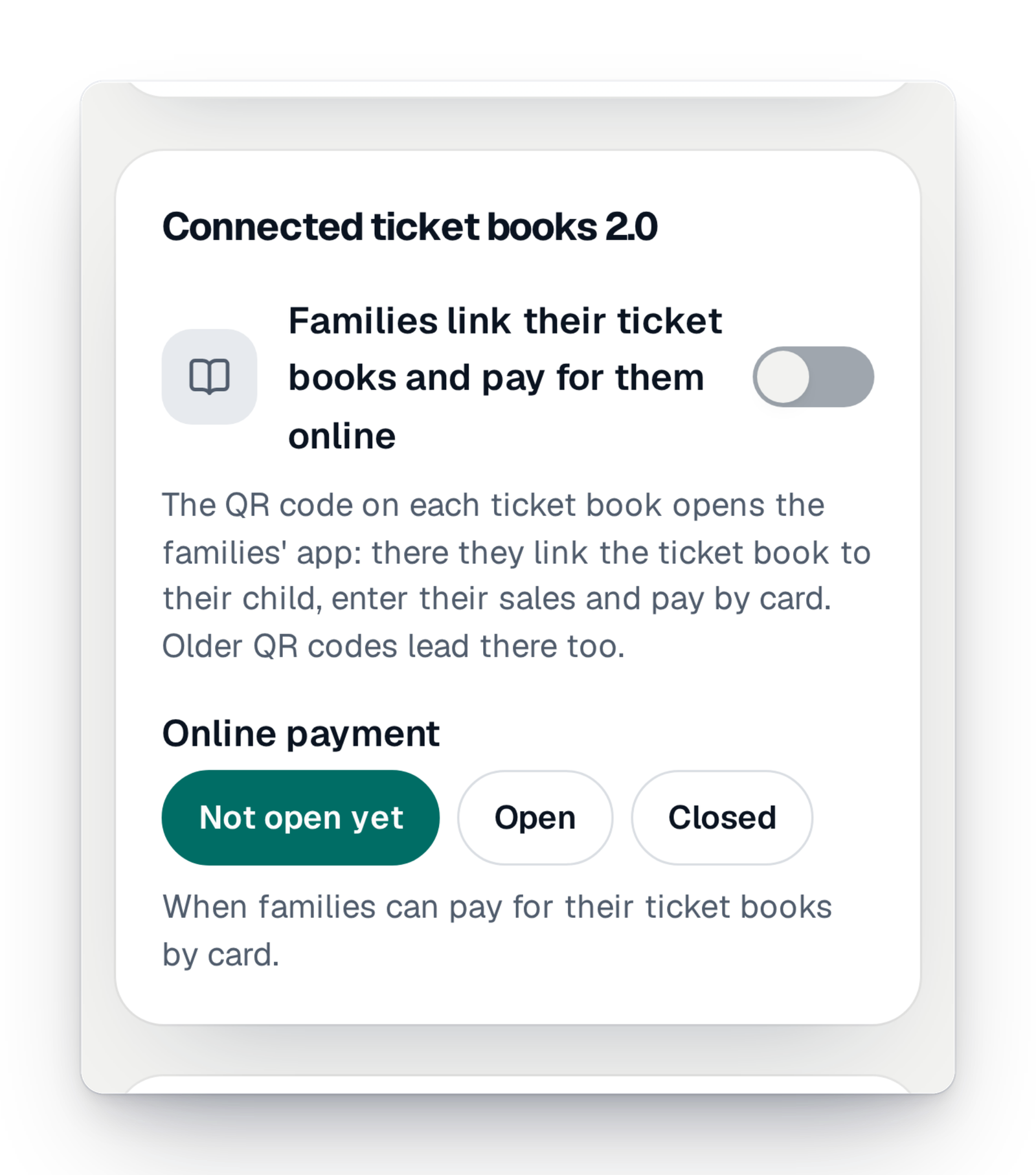
Say how many books you are having printed and the number they start at. Each book gets its QR code, to download and stick on the cover. In the settings, you open online payment when you are ready, and close it when you decide.
Step 2
Hand them out, book by book
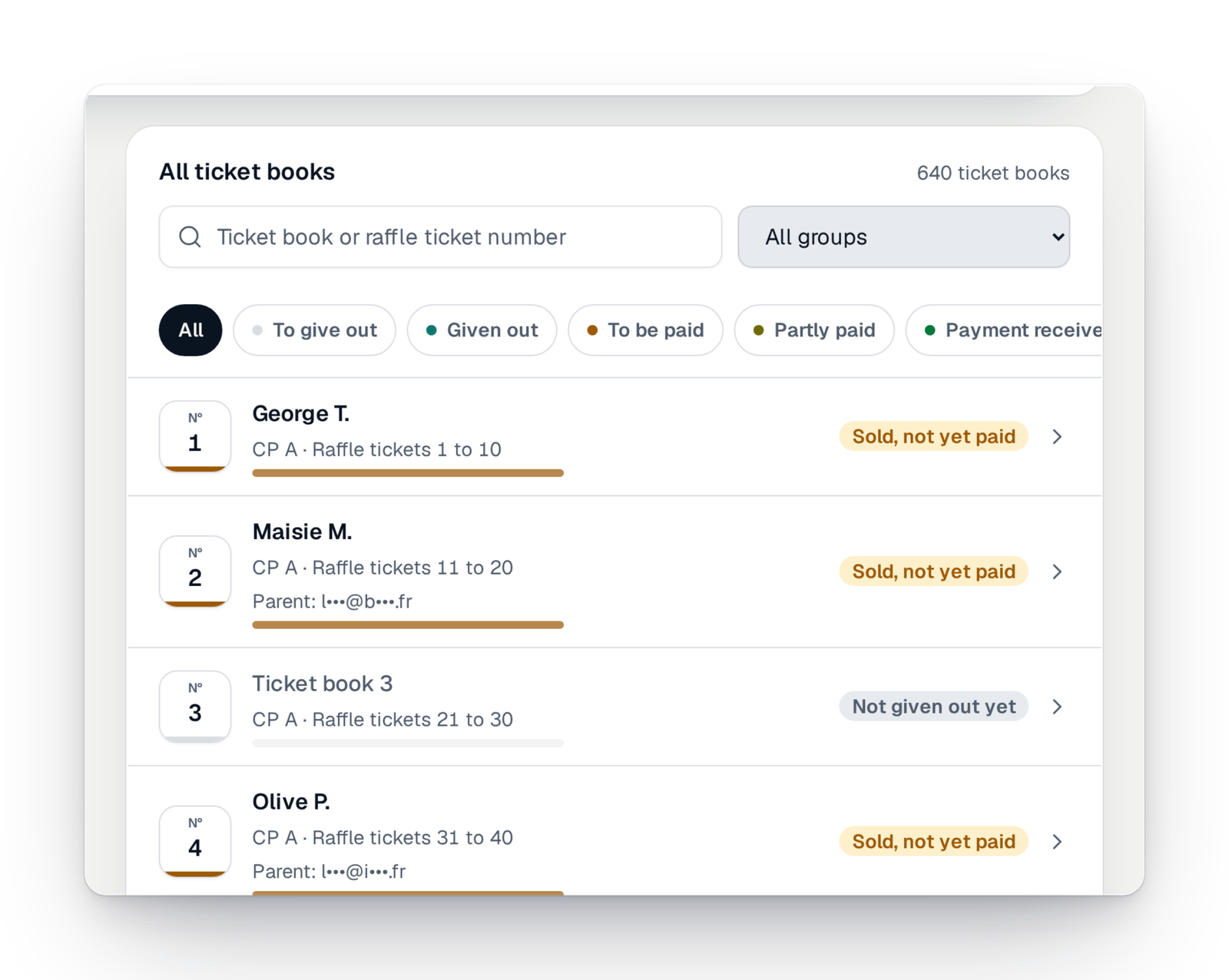
The list of your books shows the state of each one: to hand out, handed out, to be paid, partly paid or paid. You find a book by its number or by a ticket, and you filter those that need your attention.
Step 3
Follow every class
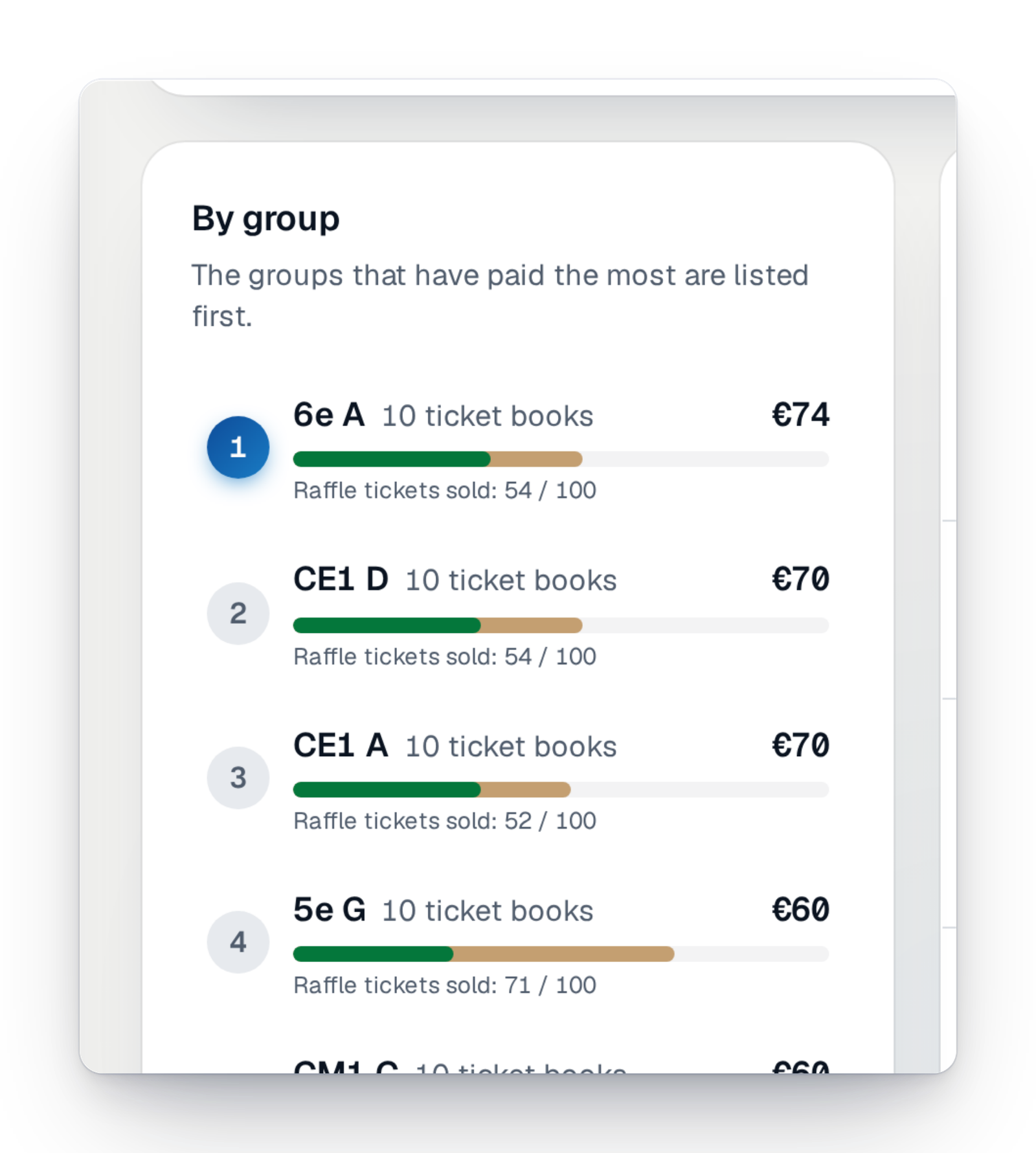
Books are grouped by class, team or section. For each group, you see the number of books and of tickets sold. The groups that sold the most come first: a good way to congratulate the right class.
Step 4
See where you stand
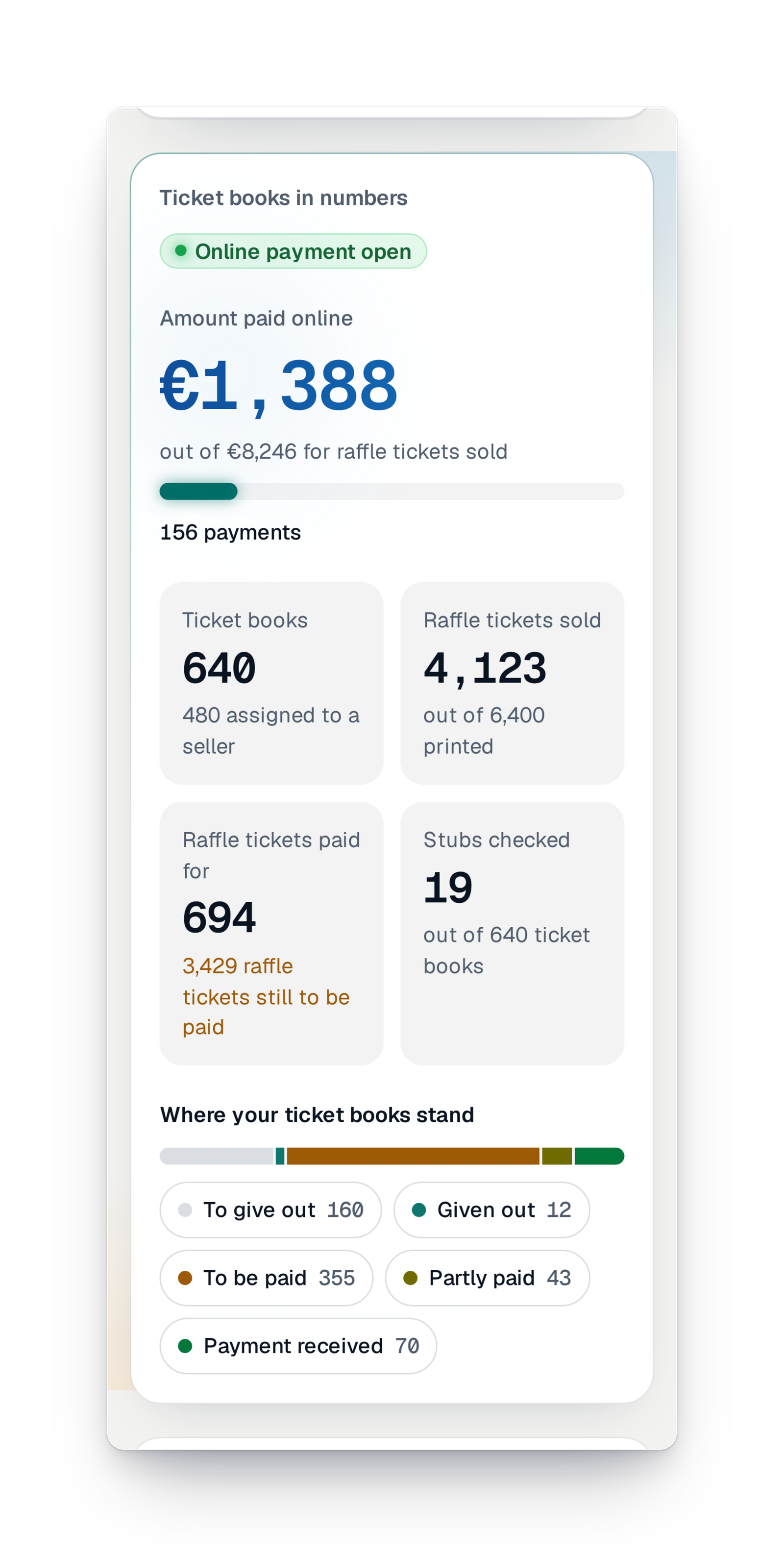
The books summary shows it all: what was paid online, the books handed out, the tickets sold and the stubs checked. You know what is still to collect before the draw.
Good to know
- A feature of your campaign, to switch on in "Settings › Features"; it is part of some offers.
- Available in every country.
- Tickets from the books play in the same draw as tickets sold online.
- With the field app, parents and volunteers link a book by scanning its QR code, record their sales and pay online. It is opened campaign by campaign: talk to our team before you hand out your books.
- Sales stop when the campaign closes: set the return date for the books before that date.
Your questions
Yes. One draw for every ticket, whether it comes from a book or from the online sale page.
No. The book's QR code opens a page in the phone's browser. They sign in with a code received by e-mail, with no password.
Yes. You sort your books by class, team or section, and each group has its own figures: books, tickets sold, what is still to be paid.
Sales are no longer accepted once the campaign is closed. So set the return date for the books a little before the close, so that everything is paid in time for the draw.
Your ticket books, finally under control
Create your campaign today; your books and their QR codes are ready before the envelopes come back.