
What's new
Every month, your raffle gains ground
What arrived in your interface, month after month, and what is coming soon. Each new feature leads to its page.


November 2026
44 new features
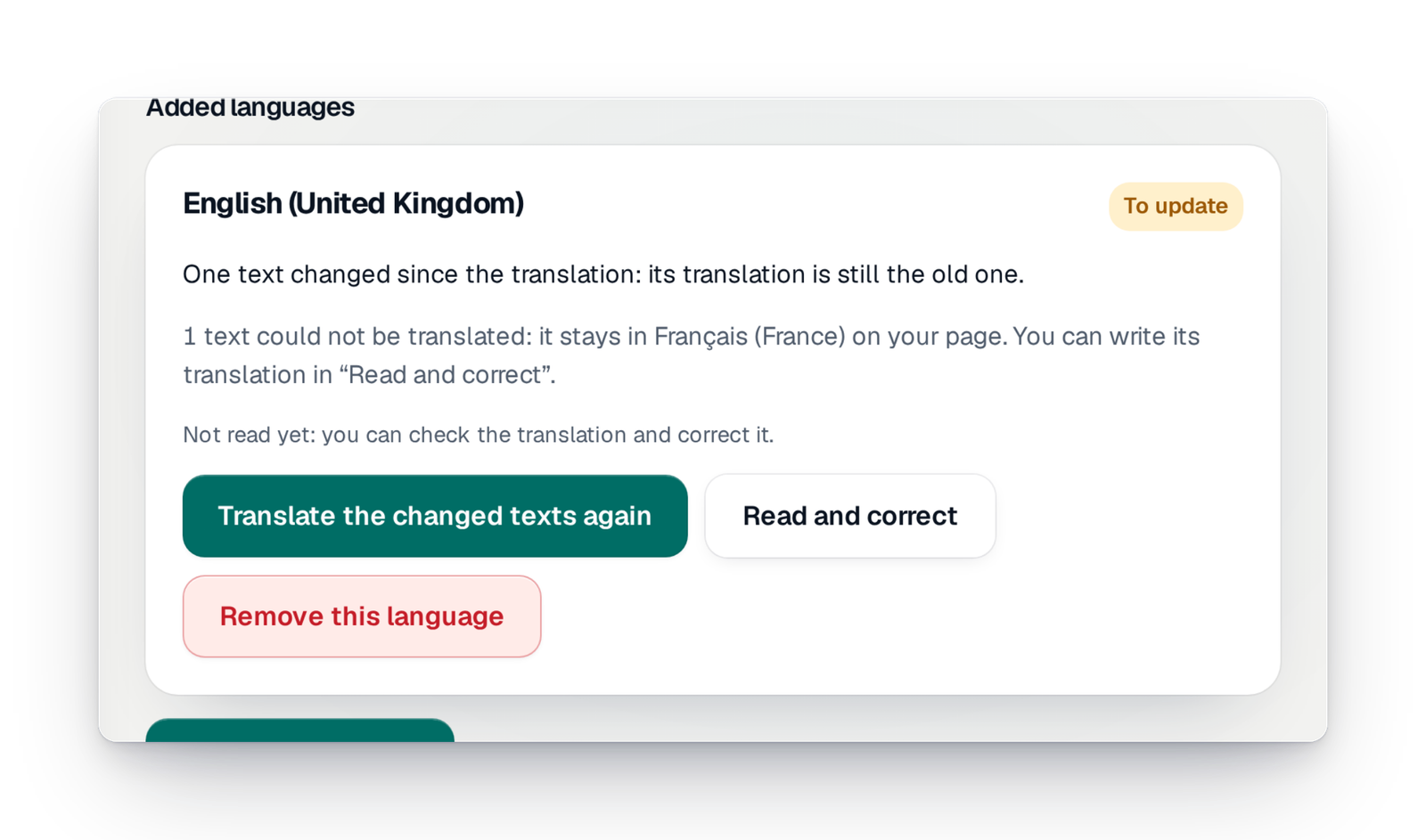
Your campaign in several languages
Add a language and your page's texts are translated and put online at once. You read them over, you correct them, and your visitors pick their language on the page.

Connect Stripe yourself
Open your organisation's Stripe account, finish its verification or reconnect it from the console, then switch it on for your campaign.
The permit before launch
You upload the document signed by the authority; it is kept, dated, then checked by our team. A paid campaign does not open without it.
Your participants' payment methods
Card, Apple Pay, Google Pay and your country's methods: you see what your participants can use, and you switch it on for the campaign.
- CustomiseNova designs your pageDescribe what you want: Nova, GoTombola's AI, changes the style, the texts and the order of the sections on your real page, or offers you three complete pages. Nothing goes online until you press “Publish”.Since 11 November 2026
- AppsHelp on every screenThe words of the trade explain themselves when you point at them, and a button opens the screen's help beside the page, with "Show me".Since 10 November 2026
- CustomiseThe Designer for your pageYour real page in the middle, every setting around it: sections, texts, photos, journey, style and languages. Undo, redo: nothing changes online until you press “Publish”.Since 10 November 2026
- CommunicateThe order of your pageMove, hide or show each section, right on your page. The history keeps every published version: see it as a visitor does and go back to it if you need to.Since 10 November 2026
- Communicate“Write it for me” and “Review my page”A text suggested from your campaign's details, shorter or warmer on request, that goes in only if you choose it. And up to six tips on your whole page.Since 10 November 2026
- AppsDocuments for your guestsA space where the people you invite, such as a supplier or a partner, read the campaign's documents without entering your console.Since 9 November 2026
- Organise your raffleThe “Permit verified” sealOnce your permit is accepted, a seal says so on your campaign page, the tickets, the share images and the draw file.Since 9 November 2026
- CommunicateQuestions asked at purchaseChoose the contact details you ask participants for and add your own questions: class, team, member number. Each field says why it is asked.Since 9 November 2026
- Get paidPayment trackingWhat the campaign received through each payment service, what is pending and what needs action, in plain words.Since 9 November 2026
- CommunicateWhat your page showsShow or hide the counters, the dates, your contact details and sharing. Before you publish, you are told what hiding something changes.Since 9 November 2026
- CommunicatePhotos and videos on the pageShow your campaign in photos, add an online video and choose the image that goes with your link when it is shared.Since 9 November 2026
- CommunicateYour rules on your pageUpload your rules as a PDF: you see its first page before publishing, and you can replace it or go back to the previous one.Since 9 November 2026
- CommunicateThe texts of your pageWrite the presentation, the tagline and the practical details block by block, with the real page beside you. Keep a draft, publish, or go back to the previous version.Since 9 November 2026
- Organise your raffle“To do”, your checklistEverything left to do, phase by phase, with one button per line: you know what blocks your launch and what to do next.Since 8 November 2026
- Team and securityOrganisation membersThe owner and the administrators invite members, change their role or remove them. A member can also leave on their own.Since 8 November 2026
- Track and exportThe campaign's documentsFor a Signature campaign, the documents our studio publishes for you, to read online or download, with an e-mail for each new one.Since 7 November 2026
- Team and securityAn account in momentsCreate your account with your e-mail address. Once you enter the code you receive, the console finds the campaigns and invitations already linked to that address.Since 7 November 2026
- Team and securityYour phone number, verifiedAdd your number to your account, verified by a code sent by text message: support can call you, and you get urgent alerts if you want them.Since 6 November 2026
- Get paidYour invoices and cardsWhat is due and when, every invoice as a PDF, your cards and your billing details, all in one place.Since 6 November 2026
- Organise your raffleCompare your campaignsPut your campaigns side by side, or this year's next to last year's, in one click.Since 6 November 2026
- Get paidYour campaign's offerYou see what your campaign's offer includes and move up to the next offer by paying only the difference, before or during the campaign.Since 6 November 2026
- Organise your raffleYour campaigns, your wayAs cards, a list, posters or a timeline of months: see all your campaigns at a glance, grouped by organization.Since 6 November 2026
- Certified drawPrintable winners listA poster with a QR code to the results, a winners list or one page per prize, in your campaign's colours, to print or save as a PDF.Since 6 November 2026
- Track and exportExport prizes, winners and sellersYour campaign's files: prizes, winners, results per person, sellers and groups, referrers, ticket books, pre-orders and promises.Since 6 November 2026
- Track and exportImport your paper ticketsImport the tickets sold on paper, with their numbers and holders: they enter the draw.Since 6 November 2026
- Team and securityYour organisation's spaceYour charity, school or club has its own page, with its campaigns. The name, address and logos are entered once and used by every campaign.Since 6 November 2026
- Get paidOptions paid at launchA paid option shows its price and is paid by card when the campaign launches, or on its own along the way; each says whether it was bought, offered or included.Since 6 November 2026
- Get paidPay laterA participant chooses “Pay later” and receives a link to pay. You see their promises and can cancel them.Since 6 November 2026
- Get paidPay on the spotA participant reserves tickets and pays in cash or by cheque. You find their pre-orders “to collect” and mark them paid: their tickets are then sent.Since 6 November 2026
- CustomiseHow prizes and partners are shownMosaic, gallery, list or cards: choose how your prizes and partners appear on your campaign page.Since 6 November 2026
- CommunicatePublish or take down the pageYou see whether your page is online. You can take it down, put it back online or archive it when the campaign is over.Since 6 November 2026
- CustomiseA private preview of your siteBefore it opens, you see your Signature site at a private address, hidden from search engines, without touching the live site.Since 6 November 2026
- Track and exportEdit a ticketCorrect a ticket's holder or give it a custom number; a number can never be used twice.Since 6 November 2026
- CommunicateUrgent alerts by text messageHave your phone number checked and get a text message when something needs your attention, especially on draw day.Since 6 November 2026
- Track and exportThe campaign reportAn end-of-campaign document, in a short and a detailed version, with sales, prizes, visits and partners. Prepared by our studio.Since 4 November 2026
- Organise your raffleYour campaign's toolsIn the settings, switch each tool of your campaign on or off: event day, ticket books, sellers, referrals… each with its own sheet.Since 3 November 2026
- Track and exportWhere your visitors come fromVisits to your pages, where they come from and how many turn into purchases. Measured without cookies or fingerprinting: you have no measuring tool to add.Since 2 November 2026
- Certified drawThe check after the drawEvery winner is checked against their ticket and every prize against its copies; you read the verdict in plain words, such as “No anomaly”.Since 2 November 2026
- Organise your raffleOne prize per person, if you likeLimit how many prizes one person can win; the rule is shown on the prizes screen.Since 2 November 2026
- Track and exportHow each prize is doingFor each prize, the tickets it draws and their pace over the last hours, grouped by the partner who gave it.Since 1 November 2026
October 2026
73 new features
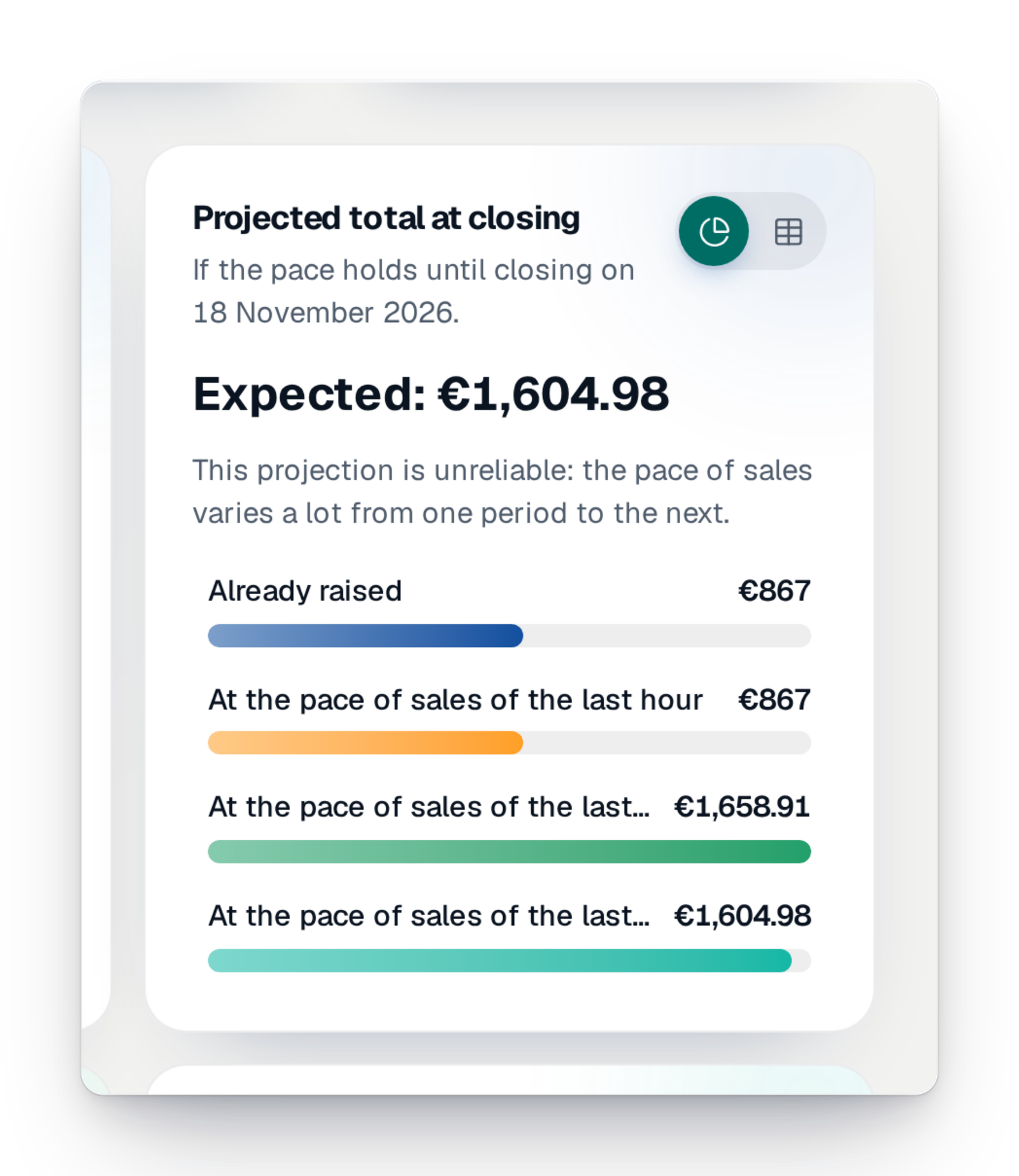
The sales dashboard
The amount raised, the tickets, the average basket, sales hour by hour and a forecast at closing. Updated with every payment, ready to print or save as a PDF.

Connected ticket books
Create your paper ticket books, print each one's QR code and follow, class by class, the books handed out, sold and paid.
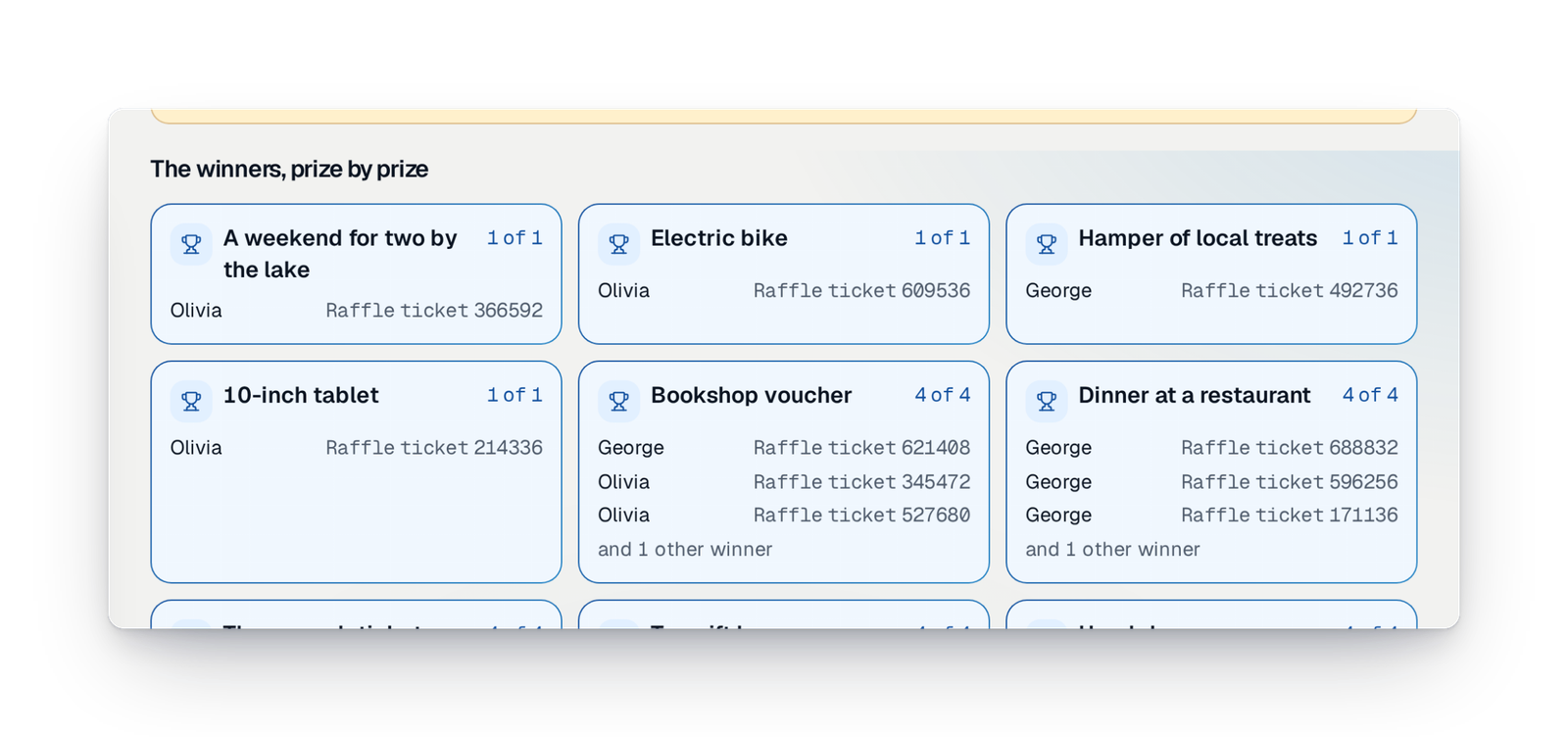
Run the draw yourself
Checks, closing sales, a final review, then the draw prize by prize before your eyes. No waiting for anyone.

Randomness nobody controls
The randomness comes from a public source and the draw is time-stamped by a European trust provider. Nobody can pick the winners.

Your sellers and their groups
Pupils, players, volunteers: each has their own record, link and QR code, and their sales are credited to them.
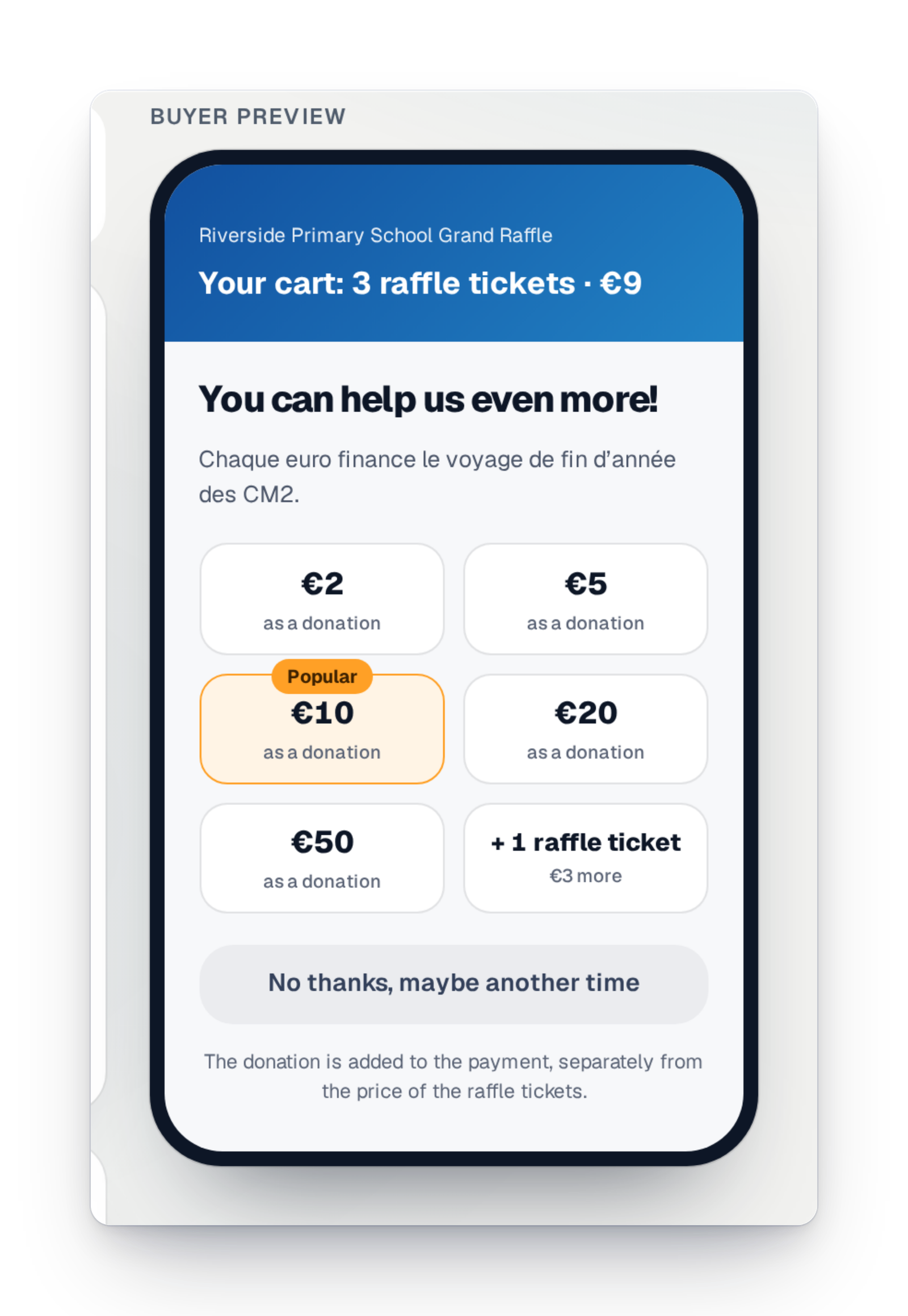
The add-on donation
Just before paying, your participants can add a donation. You choose the amounts on offer.
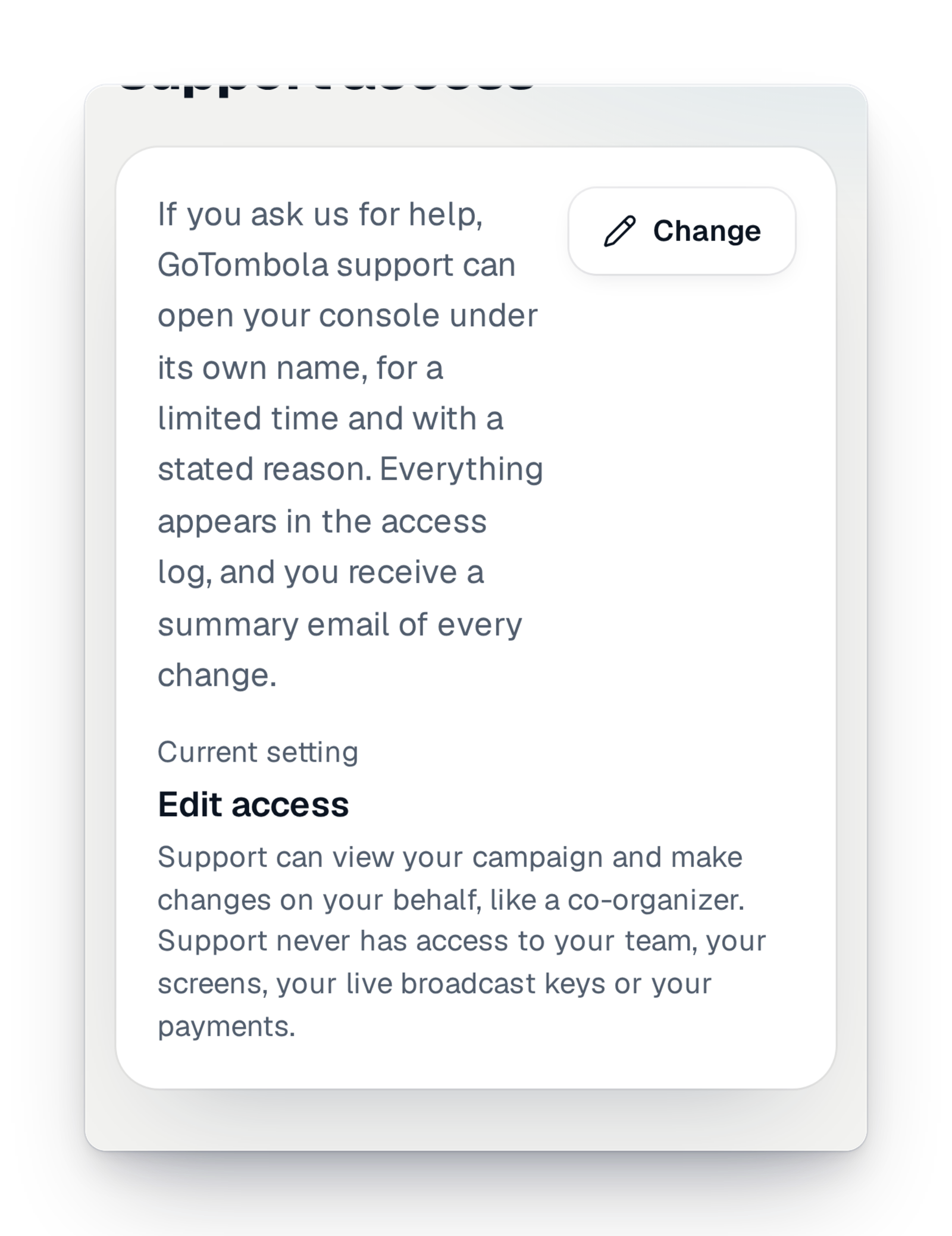
Support steps into your console
With your consent, GoTombola support looks at or fixes your campaign under its own name, for a limited time. Every intervention is written in the log, and you get a summary by e-mail.

The online room
One link or QR code, and your whole audience follows the draw at the same moment, on their phone, with no account or app.

The draw, live
Stream the winners wall or the counters wall on the big video platforms and your social media, with no software to install.
- Sell ticketsReferralsEvery buyer gets a link to share; sales that come from it are credited to them, and you can show the referrers' ranking.Since 30 October 2026
- CommunicateImages ready to shareEach campaign has its own images for social networks and messages. Pick the prize you feature, show the amount raised or not, and download them in one click.Since 30 October 2026
- Track and exportCarts, donations and breakdownThe dashboard shows carts, donations, how sales break down and the ranking of your referrers.Since 28 October 2026
- CommunicateConfirmation and tickets by e-mailAfter each purchase, the participant gets their tickets by e-mail, in their language and in your colours. If something is missing, a second e-mail asks them to complete it.Since 28 October 2026
- Get paidThe tax receipt notice on the purchase pageIf your organization can issue tax receipts, the purchase page says so and asks for the donor's address for their receipt.Since 28 October 2026
- CommunicateTickets in the phoneFrom their page or a ticket, the participant keeps their tickets in their phone's wallet, with the campaign's image and your logo.Since 28 October 2026
- Sell ticketsTicket book coversOne cover per book, with its QR code and numbers, ready for your printer: pick a design, check the preview, send them a link.Since 26 October 2026
- Get paidThe health of your paymentsOur team follows, for each payment provider and each campaign, successful and failed payments and how long their confirmations take.Since 25 October 2026
- Event day and liveThe wall over your live streamThe counters wall shows on a transparent background, to sit over your camera picture in your production software.Since 23 October 2026
- Event day and liveWhere the wall's QR code leadsChoose where the QR code on the wall leads: your campaign page, with your tracking settings, or the address of your choice.Since 23 October 2026
- Certified drawEach prize among its own ticketsWhen participants bought their tickets for a specific prize, each prize is drawn among its own tickets only. The screen tells you so in plain words.Since 19 October 2026
- Certified drawTell every participantSend each person their result by e-mail, or by text message if they left no e-mail — to everyone, to winners only or to the others only. You see how many people will be told before sending.Since 19 October 2026
- Certified drawPublish the winnersIn one move, the winners appear on your campaign page, prize by prize. You can take the list down later.Since 19 October 2026
- Certified drawTicket check before the drawOnce sales are closed, every ticket in play is checked; those from an unpaid sale are flagged, and you decide to take them out or keep them.Since 19 October 2026
- CustomiseA page templateA template dresses the whole page at once: header, style, colours and illustrations. The console recommends a few for you.Since 18 October 2026
- Organise your raffleNext year's editionRebuild last year's campaign and choose what you keep: prizes, partners, photos, sellers, team. The dates move forward by a year.Since 16 October 2026
- Get paidFlex modeWhen your campaign goes beyond what its offer covers, it keeps selling. A share of the money collected beyond that is invoiced; you switch Flex on or off yourself.Since 14 October 2026
- CustomiseLook suggestionsColors, a style and a theme that suit your campaign and the season, with the reason for the choice; try them on the preview before you save.Since 13 October 2026
- CustomiseA style and a seasonal decorA font, shapes and a decor for Christmas, a school fair or a match. Animations stay still for anyone who reduces motion.Since 13 October 2026
- Certified drawTake out of the draw, put back inTake a purchase or a ticket out of the draw, then put it back if needed, after a read-back; the purchase stays paid and a winning ticket stays in the draw.Since 12 October 2026
- Track and exportImport your prizes and partnersYour prizes and partners from a file, with their pictures by link or in a ZIP; a low-quality picture is flagged.Since 12 October 2026
- Certified drawThe draw fileDownload the result and its proof, to hand to a court officer or to check yourself.Since 10 October 2026
- Certified drawAnyone can check itA participant, a partner or a court officer drops the file on verify.gotombola.co and sees the draw redone in their browser, without uploading anything.Since 10 October 2026
- Team and securityConfirm it is really youBefore a sensitive action, such as exporting personal data, the interface asks you to confirm who you are, with your usual sign-in method.Since 10 October 2026
- Team and securitySafe sign-inA code sent by e-mail, or a passkey: your face, your fingerprint or your device's code. Every addition or removal is reported to you by e-mail.Since 9 October 2026
- AppsYour interface in your languageChoose the language of your interface: amounts, dates and times are written the way your language writes them.Since 9 October 2026
- Certified drawFair by designEach prize is drawn with equal chances among the tickets that can win it. Your raffle's rules, such as "one prize per person", are applied by the draw itself.Since 9 October 2026
- Certified drawA result sealed for five yearsThe result is signed as soon as it exists and kept for five years where nobody can change or delete it. Running the draw again gives the same winners.Since 9 October 2026
- Track and exportImport your sellersYour sellers and their groups from an Excel or CSV file: preview, check, confirm, then a report.Since 9 October 2026
- Track and exportSales per linkFor each tracking link, such as the poster or the newsletter, the sales and the amount it brought in, checked every night against your totals.Since 9 October 2026
- Get paidNo payment forgottenWhen the notice of a collected payment does not arrive, the sale is found and completed by itself. Our team keeps an eye on every service.Since 9 October 2026
- CommunicateThe campaign's e-mailsEvery e-mail the platform sends, in the order they go out. You switch off the ones you don't need and send yourself a test.Since 8 October 2026
- Event day and liveThe prize deskA screen shows the prizes still to collect by ticket number; from your phone, you call the next number to the desk.Since 8 October 2026
- Event day and liveCounters in the online roomBefore the draw, the room shows your live counters, with a button to buy more tickets.Since 8 October 2026
- Event day and liveThe sound of the drawA sound theme goes with the draw on the walls and in the rooms; for a live stream, you set the sound and an alert warns you if the broadcast is silent.Since 8 October 2026
- CustomisePage and e-mail coloursA catalogue of themes to search by mood, season or sport, or your own colours, with suggestions taken from your logo.Since 8 October 2026
- Team and securityParticipants' data protectedSeeing participants' contact details is a separate right. Without it, you read "Camille M.", with no e-mail or phone. Exporting is another right.Since 8 October 2026
- Organise your raffleThe partners who give prizesName the bakery, the garage or the hotel that gives a prize, with its logo and website. You choose the order they appear in on your page.Since 8 October 2026
- Team and securityTeam access reviewInactive members are flagged, an access review is offered, and you reuse the team of another campaign instead of inviting everyone again.Since 8 October 2026
- Team and securityClear rolesReady-made roles, or your own. Nobody can give more rights than they hold, and some actions stay reserved for the owner.Since 8 October 2026
- Sell ticketsTracking linksOne link for the poster, one for the newsletter, one for your social media: you see what each one brings in.Since 8 October 2026
- CustomiseLogo and bannersUpload your logo and banner. On phones and tablets, the banner follows the key point you chose.Since 7 October 2026
- Sell ticketsShort link, QR code and posterCopy your campaign's short link, download its QR code in the style you like, and a poster or flyer ready to print.Since 7 October 2026
- Team and securityThe campaign teamInvite the people who help you, each with a role, a job title and an end date for their access. Removing someone takes effect straight away.Since 7 October 2026
- Event day and liveSee what a screen showsFrom "My screens", see how each screen really shows your wall, and the points to check before event day.Since 7 October 2026
- Organise your raffleYour prizes, well organisedAdd your prizes with their photos, paste a list from a spreadsheet and put them in draw order by dragging them. A prize already won never disappears by mistake.Since 7 October 2026
- Track and exportThe ticket listEvery ticket of the campaign, page by page, with its holder and status, ready to export.Since 7 October 2026
- Certified drawHow to collect the prizesWrite once how prizes are collected, for the whole campaign or prize by prize: your winners read it on their ticket, in the room and on the winners wall.Since 6 October 2026
- Certified drawHanding over the prizesAt the prize table, find a ticket on your phone, see what it won and mark "Prize handed over". Two phones never hand over the same prize twice.Since 6 October 2026
- Event day and liveAnnouncements and a thank-you screenShow a short message to the whole room, then, at the end of the draw, a thank-you screen: your message, the amount raised and how to collect the prizes.Since 6 October 2026
- Event day and liveThe draw in the online roomWinners reach every screen at the same moment, with sound for those who turned it on. No winner is sent before being revealed.Since 6 October 2026
- Event day and liveScenes in relief and a dressed-up QR codeScenes in relief behind your counters that react to sales, and a dressed-up QR code that always scans.Since 6 October 2026
- Event day and liveRecord the wall on videoRecord your wall in the browser, with sound, and leave with a short film per winner to share.Since 6 October 2026
- Event day and liveThe look of your screensA style, a seasonal mood, your colours or the club's, light or dark, on both walls.Since 6 October 2026
- CustomiseSend your material to the studioLogo, prize photos, texts, rules: drop them from a link, without an account, or simply reply to the studio's e-mail.Since 6 October 2026
- Organise your raffleLaunch, pause, closeBefore sales open, a “Ready?” check goes over the essentials. Then you pause, resume or close in one move.Since 5 October 2026
- Organise your raffleName, dates and priceThe campaign's name, when sales open and close, the draw date and the ticket price. Every change is read back to you before it is saved.Since 5 October 2026
- Track and exportExports for the treasurerExport sales and tickets with the columns and format you choose, keep your settings for next time and find your files in "My exports".Since 5 October 2026
- Track and exportFind a ticketType a ticket number: you see its status and, if it won, the prize and how to collect it.Since 5 October 2026
- CommunicateTold on your phoneTurn on notifications on your phone and choose the ones you want as your campaign moves forward.Since 5 October 2026
- Event day and livePresence and applauseEveryone sees how many people are there and applauds in one tap; reactions show for everyone.Since 4 October 2026
- Event day and livePair a screenPair the room's TV, tablet or computer once from your interface, with no account and no link to pass on.Since 3 October 2026
- AppsThe organisers' consoleThe app where you run your campaigns, on a phone as on a computer, and which can be added to your home screen. Each campaign has its home page, its next step and the countdown to the draw.Since 2 October 2026
- Team and securitySign in without a passwordA code sent by e-mail, a passkey or your Google account: one account per address, and sign out of all your devices in one click.Since 2 October 2026
September 2026
1 new feature
Coming soon to your interface
Announced before they arrive: these features are on their way, and their page says so until they are available.

Apply for the permit with us
Rather than going to the town hall yourself, you hand us the application. We prepare it with your campaign's details and send it in your name.
The instant draw
Every ticket is drawn as soon as it is paid, and the participant scratches their ticket on their phone to see the result.

Sales in the room
On your gala evening, your hosts record every paper ticket sold from their phone, with no account, and you follow the room live.
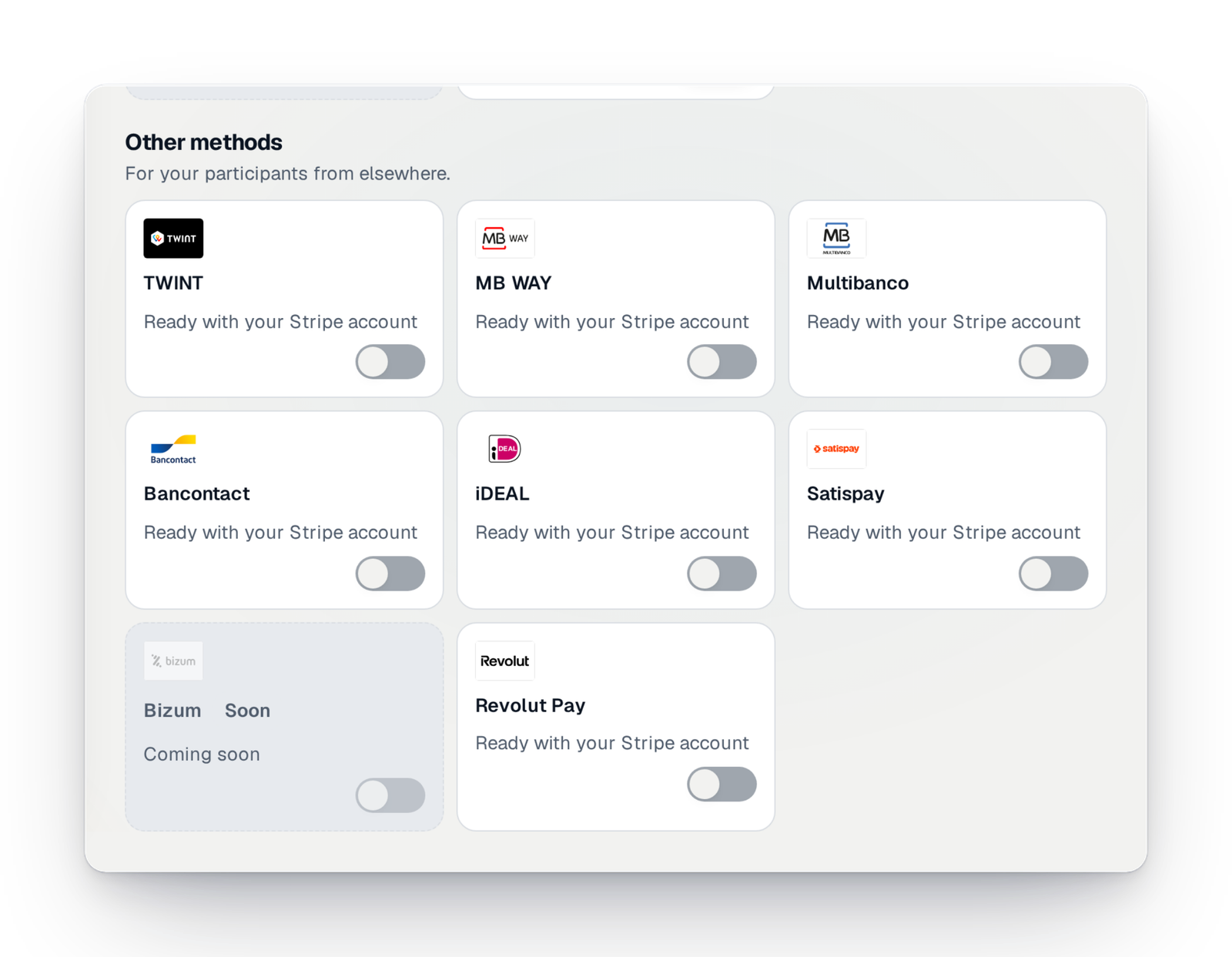
Bizum in Spain
Bizum mobile payment, for Spanish campaigns.
Wero
Wero account-to-account payment, expected for your participants.

Ticket books printed for you
In France, your ticket books designed online from your campaign, then printed and delivered by our partner printers.


Comment on your Signature site
Pin your remarks directly on your site's preview, then send them to the studio all at once.

Tax receipts, sent for you
In France, tax receipts for donations are issued in your organisation's name, numbered, sent to donors and kept.

Correct, resend and download receipts
Open a receipt, correct it, resend the e-mail to the donor or download all the campaign's receipts at once.
- AppsGoTombola in your AI assistantA connector for Claude and ChatGPT: the rules to follow by country, the competent authority in France, an estimate of your takings. Once connected, the assistant reads only the campaigns you share, never your buyers.Coming soon
- AppsThe moments after buyingRight after paying, the buyer sees their tickets appear one by one, and can scratch them when the campaign offers an instant win.Coming soon
- AppsThe participants' spaceA page where the participant signs in with a code received by e-mail, with no password, to give their tickets to someone close.Coming soon
- Team and securityVisitor counts without cookiesKnow how many people visit your campaign's site, with no cookie and nothing stored in your visitors' browsers.Coming soon
- Organise your raffle“Tell us” about your projectDescribe your raffle in writing, out loud or with a photo of your poster; the sheet fills in while you speak.Coming soon
- Certified drawReserve winnersRanked reserve winners for each prize, drawn in the same draw, to replace an absent winner without running the draw again.Coming soon
- Certified drawThe fairness reportA document in your campaign's colours that explains the method and shows the draw in figures, prepared by our team.Coming soon
- Certified drawSeveral draws in one campaignOne link and one page, but several draws, each prize attached to its own.Coming soon
- AppsBuying on your own websiteA small piece of code placed on your club's or school's website opens ticket buying right there, in the site's colours.Coming soon
- Sell ticketsGiving tickets awayAfter buying, a participant gives their tickets to someone close, by e-mail or by hand, with a short note.Coming soon
- Event day and liveThe big prizes on stageFor an evening, keep the big prizes for the end and reveal them one by one from your phone.Coming soon
- Event day and liveThe tables rankingDuring an evening with sales in the room, the wall ranks the tables by amount raised, without any name.Coming soon
All of this, for your raffle
Create your campaign: every new feature reaches your interface with nothing to install.